Set up or postpone accounting
Updated 6 October 2026. Screenshots use a fictional company.
Choose how to work: continue with the ERP, organize information for an external accountant, or keep books in Astra. Setup is optional and can be resumed later.
Open setup
Open Accounting → My accounting and choose Set up or review. It is also available in organization settings. You need permission to change company settings. A read-only account can view information but cannot configure it.
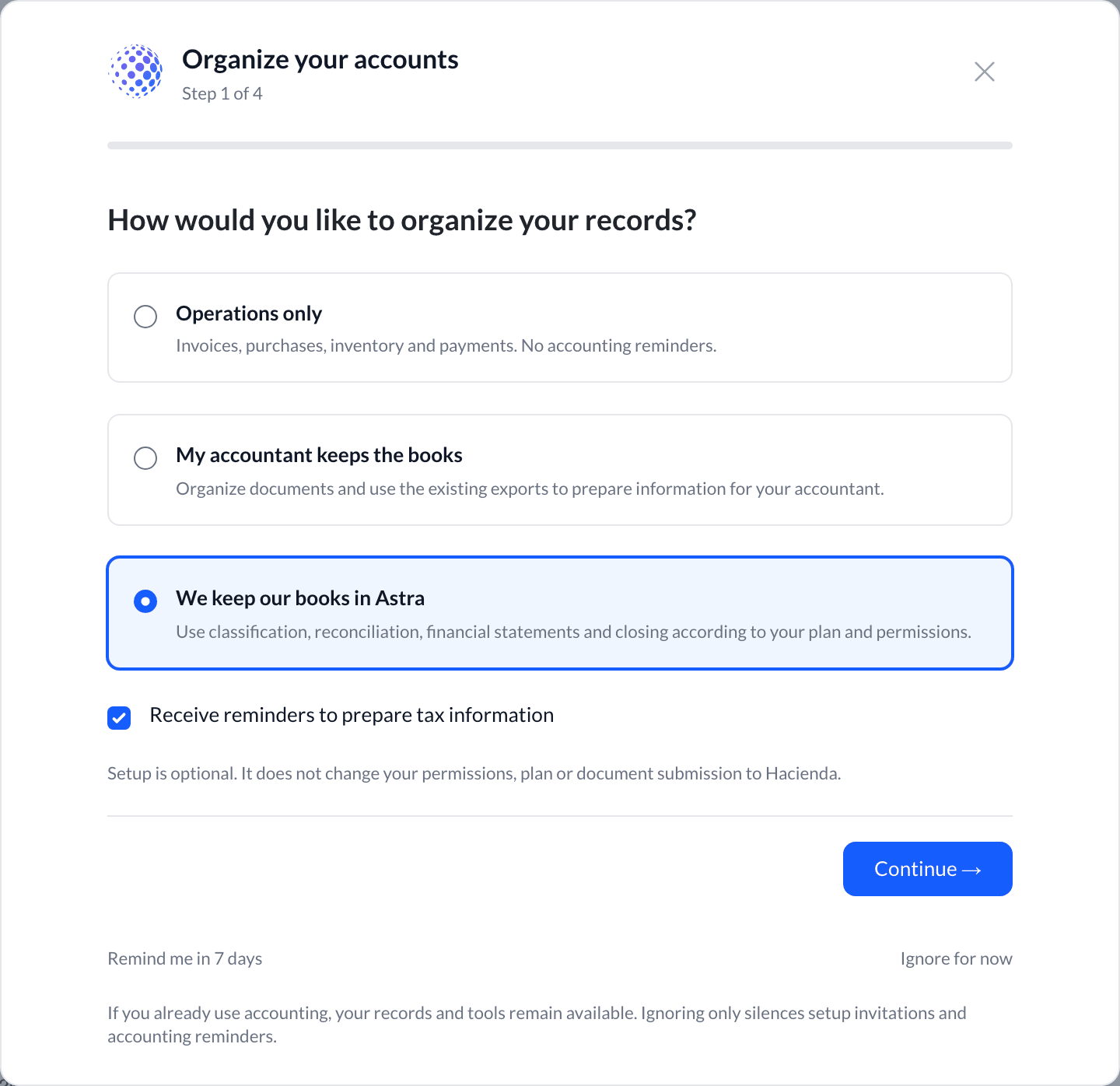
Complete the four steps
- Working mode. Choose ERP without books here, an external accountant, or accounting maintained in Astra. Decide whether to receive reminders.
- Money accounts. Select the accounts receiving and paying money. Use existing bank, cash and payment accounts. Cards and personal accounts are not offered as incoming accounts. When adding an account, enter a known balance; unknown must not become zero.
- Business and start date. Indicate whether the business already operated and when you want to start organizing records. Also choose what needs organizing, such as receivables, unpaid bills or inventory. The date is optional: you can save preferences with it blank. It does not create balances or change earlier documents.
- Review. Check your choices and choose Save preferences. If keeping books here, review opening figures and their evidence afterwards.
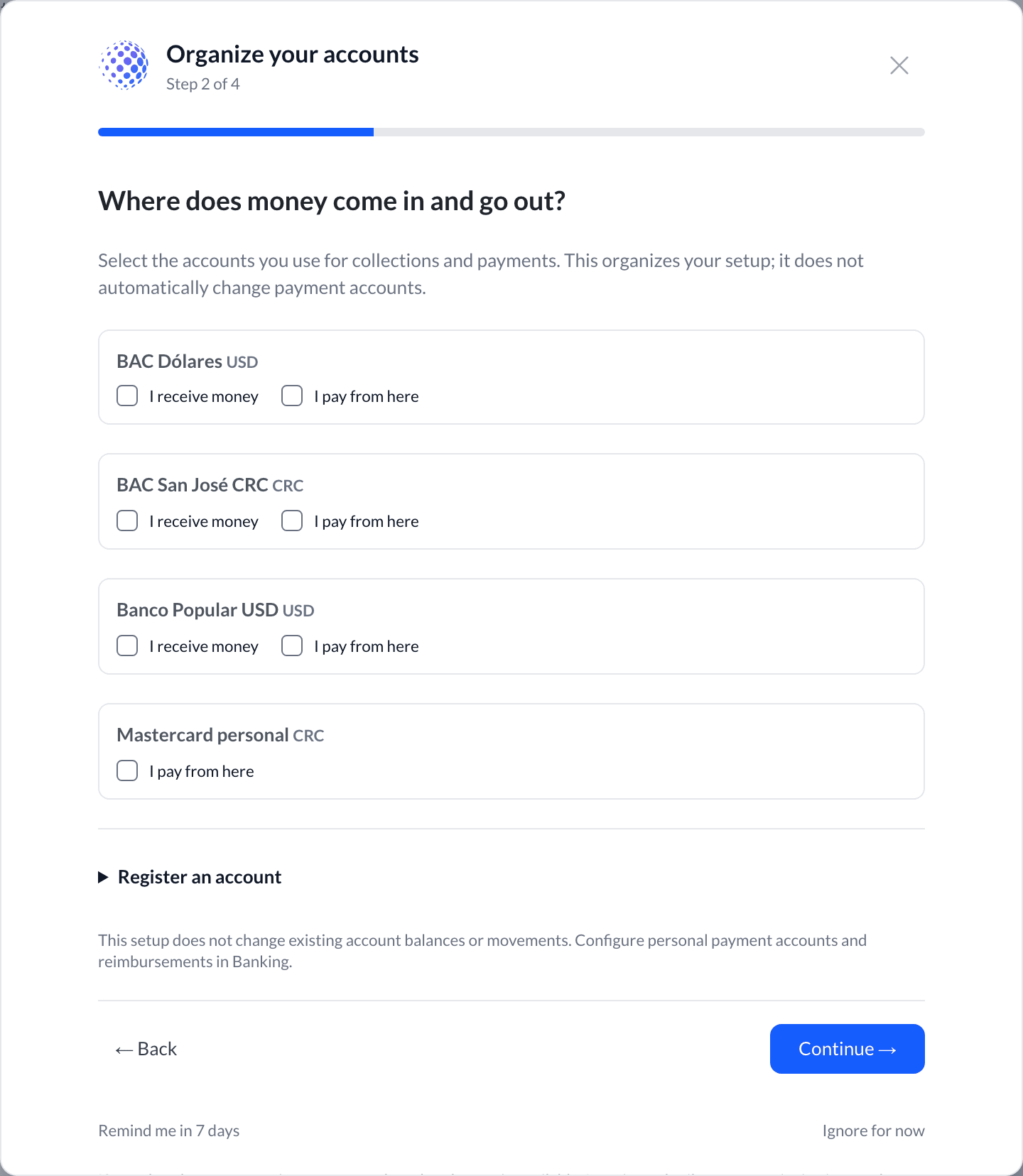
Postpone, ignore or return
Remind me in 7 days saves progress and invites you again later. Ignore for now silences the invitation and accounting reminders. Reopen setup from My accounting or organization settings. Saving or ignoring removes the large invitation from accounting screens. Postponing hides it for seven days. The small shortcut in My accounting and organization settings remain available. Opening and closing saved or ignored setup does not reactivate the invitation. ERP data and features remain available.
You do not need complete books here. Use Tax Review → Sales / Purchases → Excel as before. Setup does not change these files or block downloading them.
After setup
Completing setup does not certify complete books. Continue with Review and close a month if maintaining them here, or Tax Review when preparing taxes.