How to stop searching for the same CABYS on every invoice
Organize frequently used codes and prepare your catalog to invoice with fewer searches.
If your business sells the same services each week, searching from scratch becomes repetitive. Prepare a small favorites list and save your usual services. The goal is finding the right code faster, rather than applying one code to everything.
1. List your usual sales
Review recent invoices. Separate recurring services, parts and other products. In a workshop, diagnosis, repairs and a part sale may need different classifications. Treat this list as a starting point for research, rather than confirmed codes.
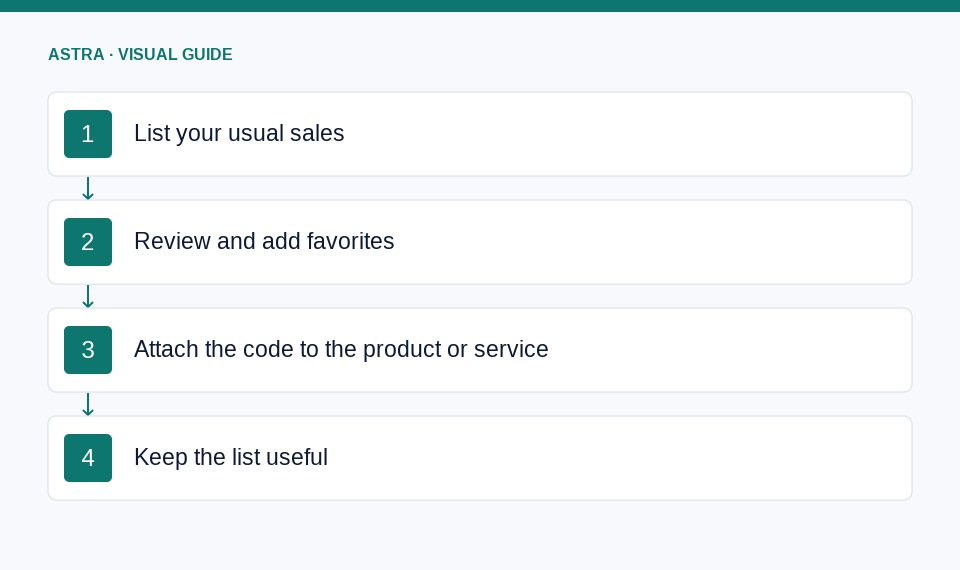
2. Review and add favorites
Open CABYS favorites management in organization settings. Search for each code, check its description and add it. Astra can also prepare favorites for the selected business or work-order type. Review those codes: they are a starting point, rather than tax approval for every sale.
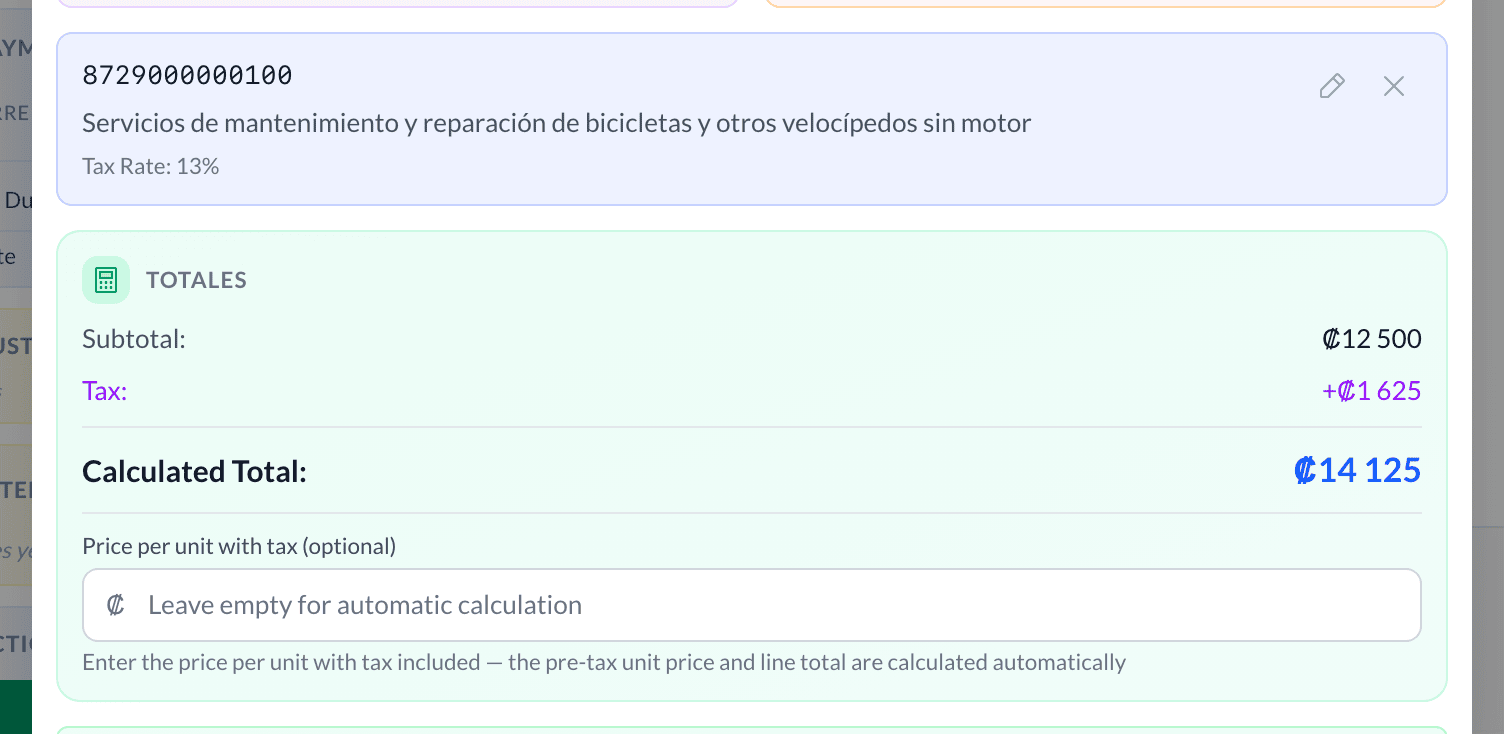
3. Attach the code to the product or service
Favorites help with searches. A catalog product with CABYS, price and tax prepared helps create the entire line. Keep each detail in the right place, then use a draft invoice to check that the product supplies the expected information.
4. Keep the list useful
Remove favorites you no longer use and review services when your offering changes. If a default code does not fit a sale, change it on that line. A short, reviewed list is more useful than saving unchecked results.
A mistake to avoid
A favorite does not make an incorrect classification correct. Review suggested codes when setting up your business too.
Before your next step
- The CABYS describes what I actually sell.
- I reviewed the rate and any special treatment.
- I saved the code on the appropriate product or favorite.
Where Astra fits
Astra brings customer details, line items and document tracking together so you can continue working without copying the same information again. Check tool availability in the plan you choose.
Explore this Astra tool →Frequently asked questions
Does a favorite save the service price?
No. A favorite provides quick access to the code; prepare commercial details on the catalog product or service.
General guidance for individuals and businesses in Costa Rica. Requirements vary by activity, municipality and institution. Confirm your case with the relevant institution and your accountant or notary.