Electronic invoicing for independent professionals: where to start
A practical route for people working independently who need to invoice without an administrative office.
Do you work independently and have a customer asking for an electronic invoice? Start with your tax situation, issuer details and the information repeated for each service. This guide is for individuals; it does not imply that every occasional income has the same obligations.
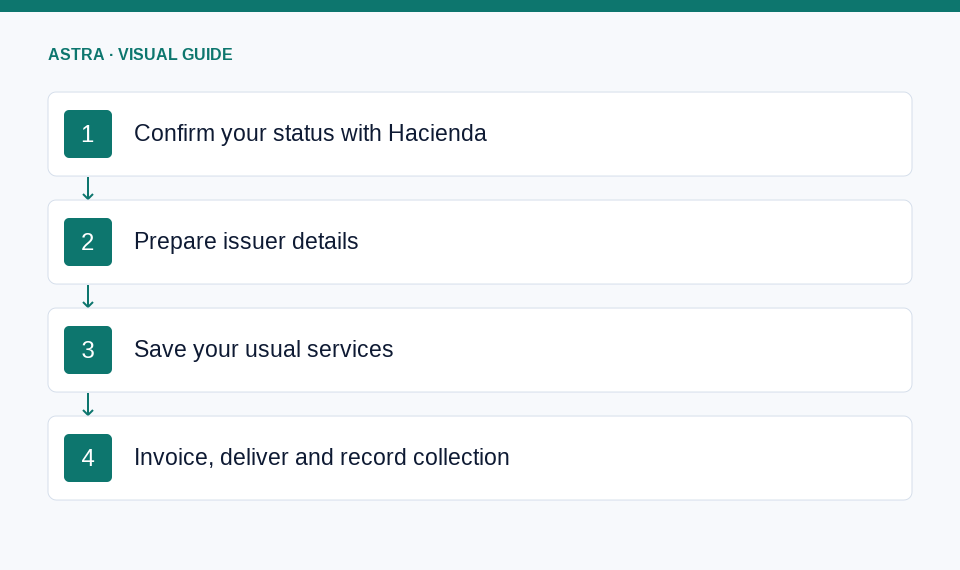
1. Confirm your status with Hacienda
Check registration, business activity and applicable regime. Consult Hacienda’s official channels or your accountant if uncertain. A software account does not automatically register your activity or determine obligations. You do not need to incorporate a company simply to use Astra.
2. Prepare issuer details
Configure your identification and the details your activity requires in Astra. Prepare credentials and a signing key for the environment you will use. Keep practice and real documents separate: do not submit an invented sample sale to the live environment.
3. Save your usual services
Prepare recurring services in the catalog with reviewed descriptions, prices, CABYS and tax. For example, a consultant can reuse service details rather than rewriting them. Confirm customer information and the scope of each job before creating the invoice.
4. Invoice, deliver and record collection
Review the invoice, address pre-validation notices and submit it. Check the electronic response and delivery email. When you receive money, record it against that invoice, including partial payments. This distinguishes work performed, amounts invoiced and amounts still owed.
A mistake to avoid
Do not copy another person’s tax setup simply because they offer a similar service. Review your own registration and activity.
Before your next step
- Customer and identification have been reviewed.
- Lines, taxes and totals match the transaction.
- I checked the outcome and kept supporting evidence.
Where Astra fits
Astra brings customer details, line items and document tracking together so you can continue working without copying the same information again. Check tool availability in the plan you choose.
Explore this Astra tool →Frequently asked questions
Do I need a company to use Astra?
No. An individual can use Astra with their issuer details and appropriate setup. Invoicing obligations depend on their tax situation.
General guidance for individuals and businesses in Costa Rica. Requirements vary by activity, municipality and institution. Confirm your case with the relevant institution and your accountant or notary.