How to record a partial payment and keep the remaining balance
Record what you received, check the balance and keep payment associated with the right sale.
A customer pays part today and the remainder later. The invoice does not need to become two sales: it needs a clear record of each collection. Separate the invoiced amount from what actually reached cash or the bank.
1. Find the correct invoice
Open the customer’s invoice and review total, existing payments and outstanding balance. Confirm the bank evidence before recording a deposit. If the customer has several open invoices, establish which invoice the payment covers.
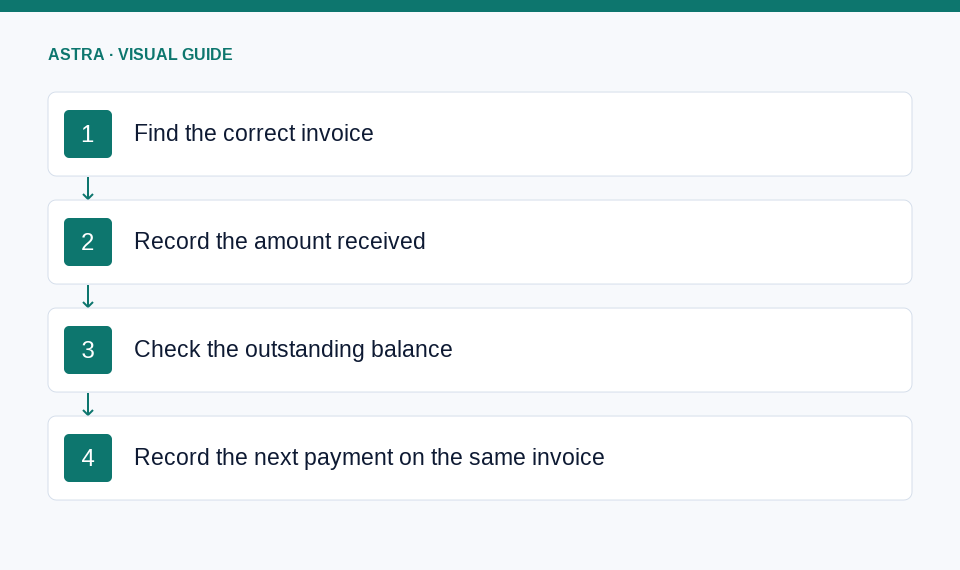
2. Record the amount received
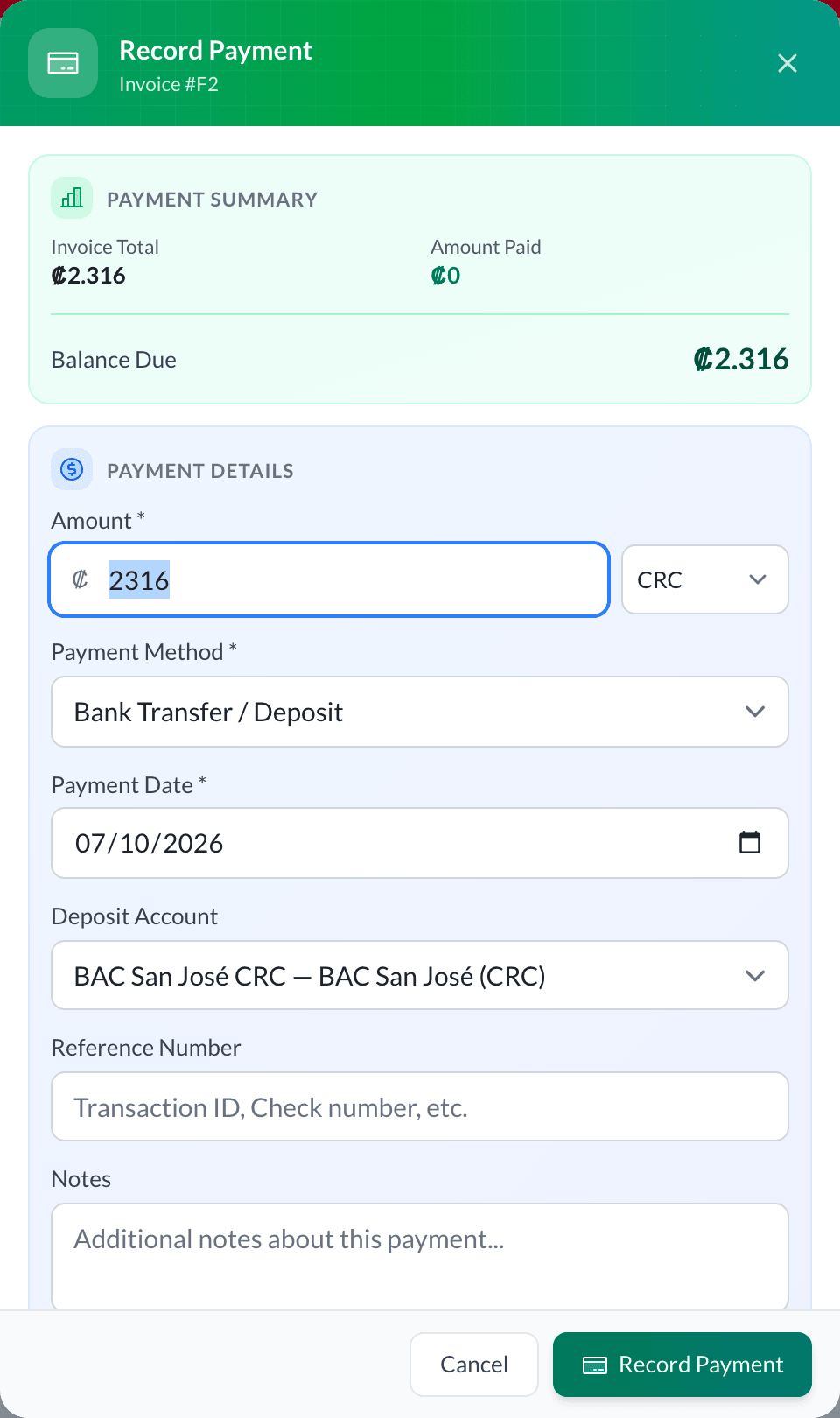
Use Record Payment and enter the amount received, currency, method and date. Record the deposit account where applicable and a reference to locate the transfer. Do not enter the invoice total when you received only part of it.
3. Check the outstanding balance
Illustrative example: a ₡50,000 invoice with a ₡20,000 first payment leaves ₡30,000. Check the Payments tab and summary after saving. For different currencies, also check conversion; comparing amounts alone can misrepresent the balance.
4. Record the next payment on the same invoice
When the remainder arrives, record another payment and confirm the final balance. Keep supporting evidence for reconciliation. Hacienda acceptance describes electronic status, while the balance describes collection; neither substitutes for the other.
A mistake to avoid
Do not invoice the partial payment again as a new sale. Record collection against the appropriate document.
Before your next step
- Customer and identification have been reviewed.
- Lines, taxes and totals match the transaction.
- I checked the outcome and kept supporting evidence.
Where Astra fits
Astra brings customer details, line items and document tracking together so you can continue working without copying the same information again. Check tool availability in the plan you choose.
Explore this Astra tool →Frequently asked questions
Is a Hacienda-accepted invoice already paid?
No. Electronic acceptance does not confirm that you received the customer’s money.
General guidance for individuals and businesses in Costa Rica. Requirements vary by activity, municipality and institution. Confirm your case with the relevant institution and your accountant or notary.