Which customer details to request for an electronic invoice
Prepare the customer’s identification and email once, then review them before invoicing.
A customer requests an invoice and sends their details by message. Before copying them in a rush, confirm who the document should be issued to. A well-prepared contact avoids repeated questions and reduces mistakes on future purchases.
1. Confirm the recipient
Ask whether the invoice is for an individual or a company. Request the appropriate identification type, number and recipient name. Do not replace a company’s identification with the identification of the person who paid. For a foreign recipient, use the identification type appropriate to the case.
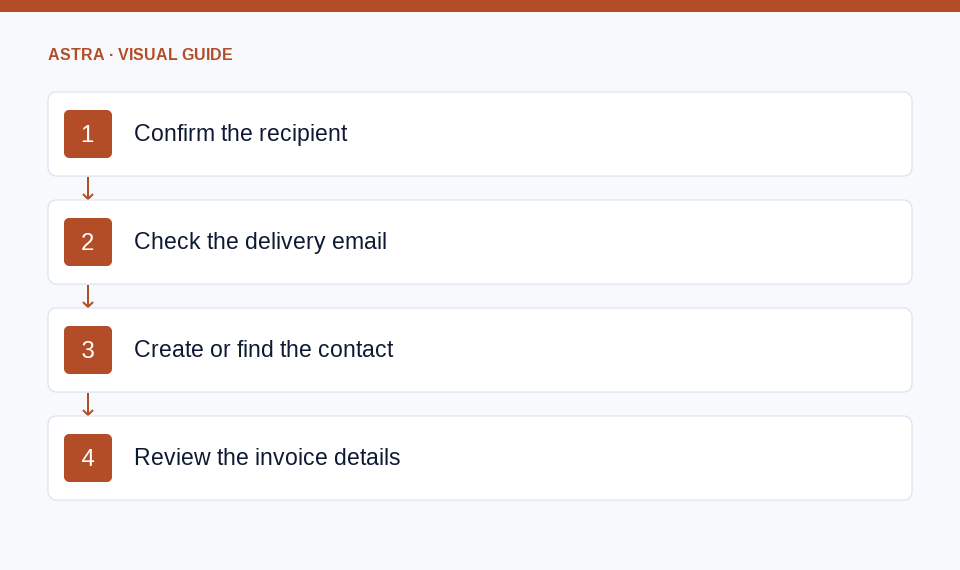
2. Check the delivery email
Confirm the email address for receiving the documents. Read the full address: one incorrect letter can send files elsewhere. Request only the details needed for the transaction and keep them on the contact, rather than scattered notes and conversations.
Hacienda · comprobantes electrónicos 4.43. Create or find the contact
First search for an existing customer. In Astra you can create a contact and look up identification when the service is available. Review the result before saving: an automatic lookup does not establish which company the customer wants invoiced.
4. Review the invoice details
Select the contact when creating the invoice and check recipient, email and commercial terms. Address missing details before sending. An exoneración requires its own evidence and setup; do not infer it from the company name or customer email.
A mistake to avoid
Do not create a new contact for every purchase by the same customer. Search by name or identification first.
Before your next step
- Customer and identification have been reviewed.
- Lines, taxes and totals match the transaction.
- I checked the outcome and kept supporting evidence.
Where Astra fits
Astra brings customer details, line items and document tracking together so you can continue working without copying the same information again. Check tool availability in the plan you choose.
Explore this Astra tool →Frequently asked questions
Does saving a customer issue an invoice?
No. Saving the contact prepares its details; you then create and review the appropriate document.
General guidance for individuals and businesses in Costa Rica. Requirements vary by activity, municipality and institution. Confirm your case with the relevant institution and your accountant or notary.