How to create a credit note for an accepted invoice
Prepare a full or partial adjustment and preserve the reference to the original invoice.
A customer returns a product or needs an adjustment to an accepted sale. A credit note records the adjustment and links it to the original invoice. It differs from deleting the sale, editing its PDF or resolving a rejected document.
1. Open the invoice to adjust
Review customer, lines, payments and electronic status. In Astra, create the note from the invoice detail to preserve the reference to the original. For a rejected invoice, review the replacement flow before trying a credit note.
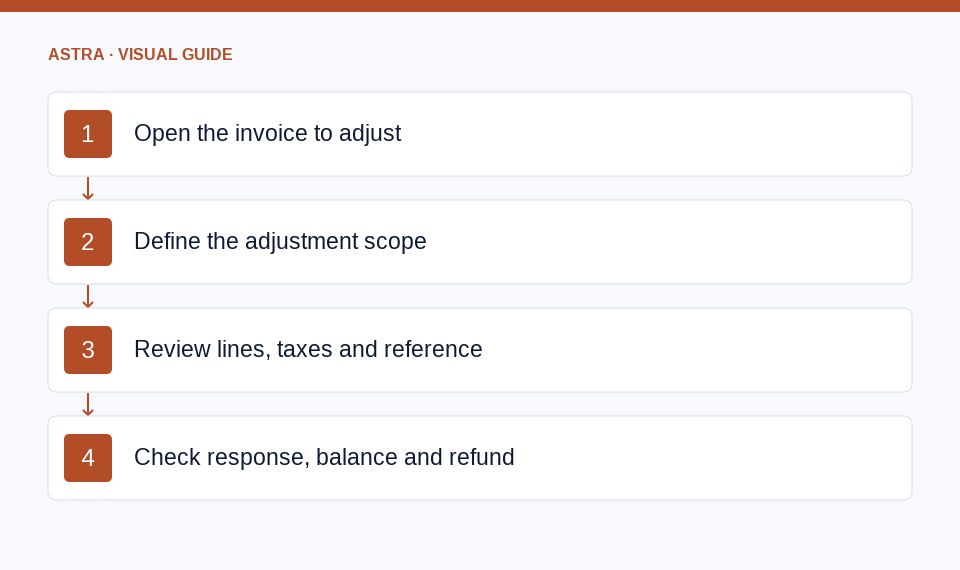
2. Define the adjustment scope
Establish whether the adjustment covers the entire sale or only part. Illustrative example: if one of three units was returned, check the quantity and amount actually requiring adjustment, rather than reversing all three. Choose the appropriate reason and describe the situation clearly.
Hacienda · comprobantes electrónicos 4.43. Review lines, taxes and reference
Check quantities, discounts and taxes on the adjustment. Astra prepares the original-document reference from the invoice; review the summary before issuing. A goods return also requires checking what physically happened to the product, rather than only the accounting amount.
4. Check response, balance and refund
Submit the note through the electronic flow and check the response. Review the resulting balance and invoice payments. Issuing a note does not mean money has been returned by bank transfer; record and support any applicable refund separately.
A mistake to avoid
Do not edit an accepted invoice’s files to represent a return. Preserve traceability through the appropriate adjustment.
Before your next step
- Customer and identification have been reviewed.
- Lines, taxes and totals match the transaction.
- I checked the outcome and kept supporting evidence.
Where Astra fits
Astra brings customer details, line items and document tracking together so you can continue working without copying the same information again. Check tool availability in the plan you choose.
Explore this Astra tool →Frequently asked questions
Does a credit note automatically refund money?
No. The document adjustment and movement of money are separate operations to verify.
General guidance for individuals and businesses in Costa Rica. Requirements vary by activity, municipality and institution. Confirm your case with the relevant institution and your accountant or notary.