How to invoice a price that already includes IVA
Avoid adding IVA twice and check the final price agreed with your customer.
You quoted a final price, but the invoice total increases when you enter it. Before changing numbers at random, establish whether your input includes or excludes IVA. This distinction resolves a common question when adding items.
1. Establish the agreed price
Check the quote or conversation: does the customer expect that final amount, or that amount plus IVA? Apply the same interpretation consistently. The invoice must describe the actual sale; do not change tax merely to reach a desired total.
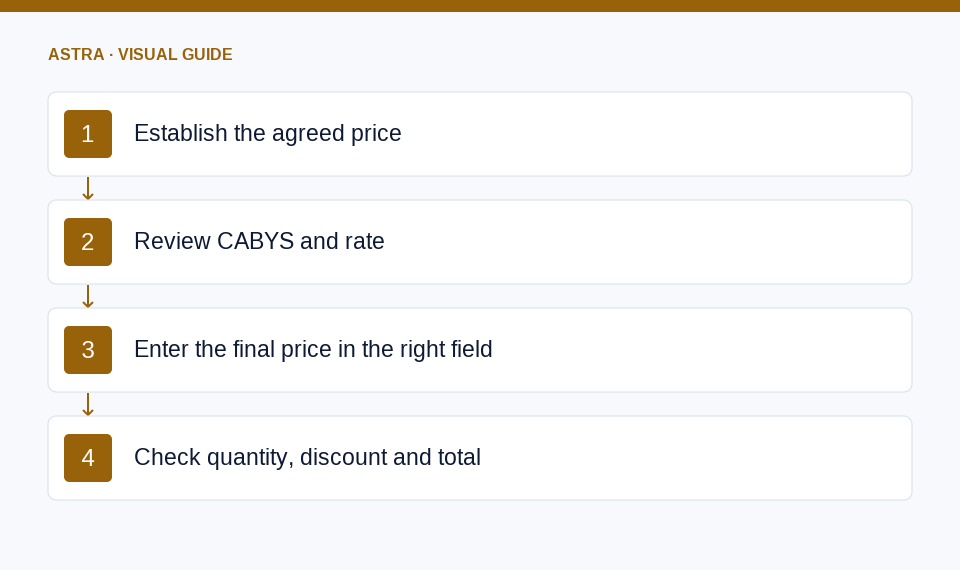
2. Review CABYS and rate
Choose the item or service CABYS and check its tax treatment. This guide uses 13% only to illustrate the calculation, rather than as a rate for every sale. An exoneración is not represented by simply entering zero without evidence.
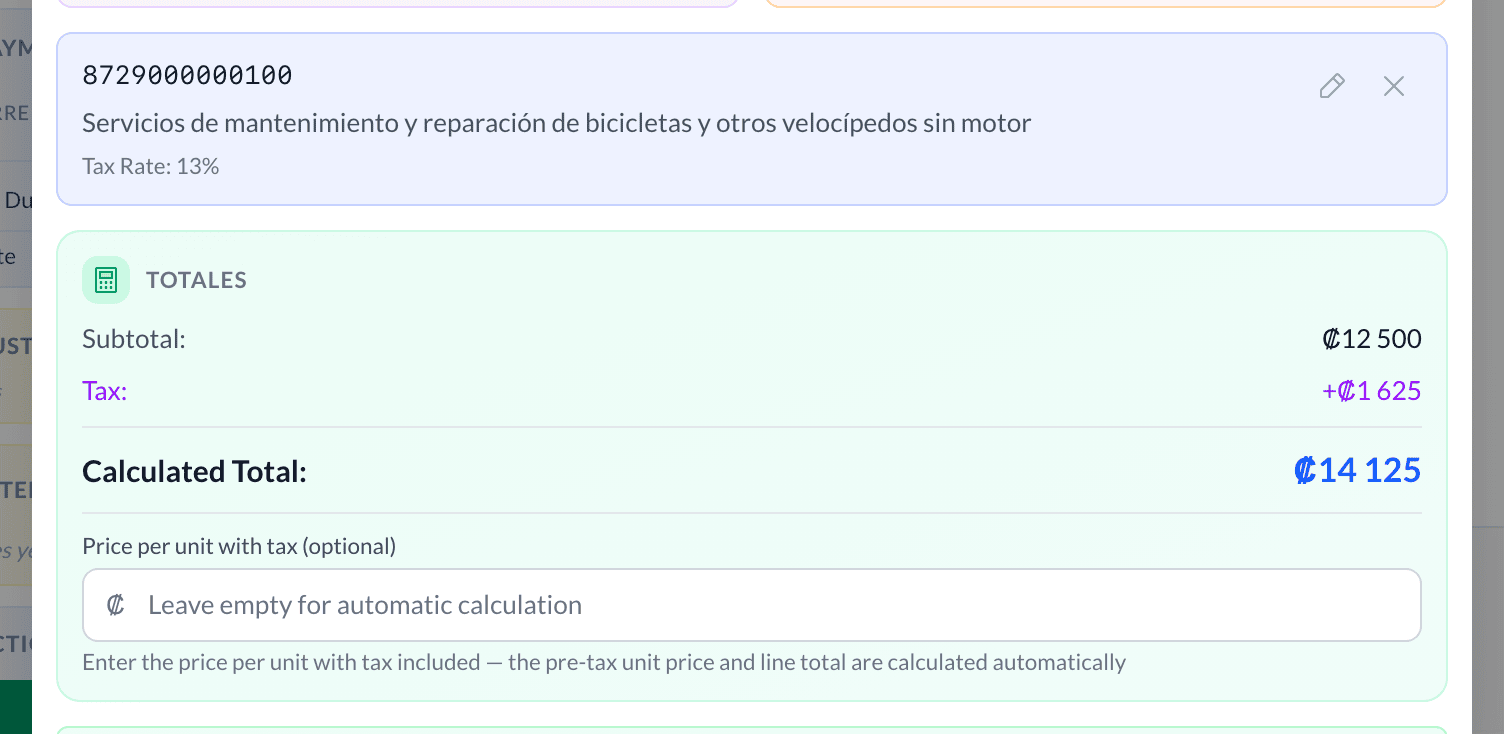
3. Enter the final price in the right field
In Astra’s line details, use Price per unit including IVA when applicable. The system calculates the price before tax and the line total. For a tax-exclusive price, use the appropriate unit-price field and check the summary, rather than entering the final amount as the base.
4. Check quantity, discount and total
Illustrative example: ₡11,300 including 13% IVA comprises a ₡10,000 base and ₡1,300 tax. Two units with no discount total ₡22,600. If there is a discount, review Astra’s updated summary and confirm it matches the agreement before submission.
A mistake to avoid
Entering ₡11,300 as the base and adding another 13% produces ₡12,769, rather than the agreed final price in the example.
Before your next step
- Customer and identification have been reviewed.
- Lines, taxes and totals match the transaction.
- I checked the outcome and kept supporting evidence.
Where Astra fits
Astra brings customer details, line items and document tracking together so you can continue working without copying the same information again. Check tool availability in the plan you choose.
Explore this Astra tool →Frequently asked questions
Does the same calculation work for every rate?
The mathematical relationship changes with the rate. First confirm the transaction’s tax treatment, then review the calculation.
General guidance for individuals and businesses in Costa Rica. Requirements vary by activity, municipality and institution. Confirm your case with the relevant institution and your accountant or notary.